
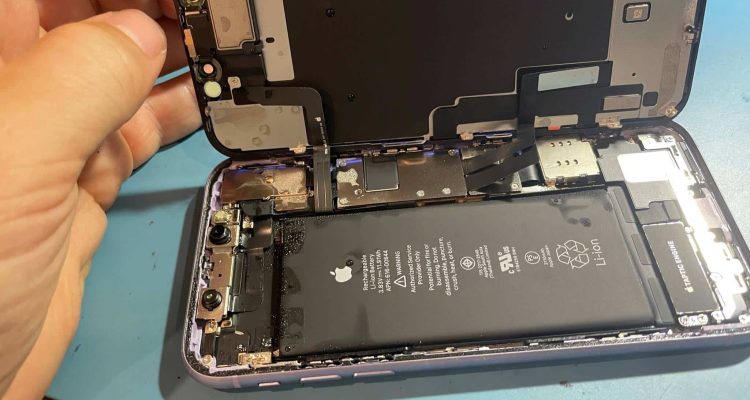
Smartphones are built to handle everyday life, but water damage remains one of the most common — and costly — causes of phone failure. Whether it’s a dropped phone in the sink, rain exposure, or an accidental spill, liquid can quickly compromise internal components and lead to long-term problems if not handled correctly.
In this guide, we’ll explain how water damages smartphones, what to do immediately, common myths, and how to protect your device in the future.
How Water Damages Smartphones
When water enters a smartphone, it doesn’t just “dry out” harmlessly. Moisture can:
- Short-circuit internal components
- Cause corrosion on the motherboard
- Damage the battery, increasing fire risk
- Ruin the display, speakers, microphone, or charging port
Even phones with water-resistance ratings (IP67/IP68) are not fully waterproof. Over time, seals degrade, and exposure to saltwater, sugary drinks, or chemicals can bypass protection almost instantly.
Signs of Water Damage in a Smartphone
Common symptoms include:
- Phone won’t turn on or randomly shuts down
- Touchscreen becomes unresponsive
- Distorted audio or muffled speakers
- Charging issues or overheating
- Fog or condensation under the screen
Most smartphones also have Liquid Contact Indicators (LCIs) inside the SIM tray or near the battery that turn red when exposed to moisture.
What to Do Immediately After Water Exposure
Time is critical. Follow these steps immediately:
- Power off the phone — do not try to test it
- Remove the SIM card and accessories
- Gently dry the exterior with a lint-free cloth
- Do not charge the phone
- Avoid heat (hair dryers, ovens, sunlight)
- Seek professional repair as soon as possible
Common Myths to Avoid
- Rice does not remove internal moisture
- Shaking the phone can spread liquid further
- Turning it back on “to check” causes permanent damage
Can Water-Damaged Phones Be Repaired?
Yes — if treated early. Professional water-damage repair typically includes:
- Full internal disassembly
- Ultrasonic cleaning to remove corrosion
- Board-level inspection and repair
- Battery testing or replacement
The success rate depends on the type of liquid (water vs. salt/sugary liquids), how quickly the phone was powered off, and how long the moisture remained inside.
How to Prevent Smartphone Water Damage
Simple precautions can save hundreds in repairs:
- Use a waterproof case when outdoors or traveling
- Keep phones away from bathrooms and kitchens
- Avoid charging phones in humid environments
- Regularly inspect seals on water-resistant devices
- Back up your data frequently
Final Thoughts
Smartphone water damage is serious — but quick action and professional repair can make the difference between recovery and total loss. If your phone has been exposed to liquid, don’t wait. The longer moisture sits inside, the more damage it causes. Bring it to Computer Edge as soon as possible.
Need a hand with your device? Our Oldham team is here to help.
Contact Computer Edge